
Module Documentation: Counter Module
The "Progress Metrics" module empowers you to visually represent your key progress indicators and metrics in an interactive and dynamic manner. Whether you're tracking sales figures, website analytics, or any other measurable data, this module offers a user-friendly solution to display your data in a way that resonates with your audience.
Getting Started
To get started with the "Progress Metrics" module, follow these steps:
- Log in to your HubSpot account.
- Navigate to the HubSpot Marketplace.
- Search for the "Progress Metrics" module and click on the installation button
- Follow the prompts to install the module to your account.
Card Components :
Each progress card consists of the following components:
- Title: A descriptive title for the metric you're tracking.
- Description: A brief explanation of the metric or KPI.
- Icon: An icon that visually represents the metric.
- Number Counter: A dynamic counter that starts from zero and counts up to your defined maximum value.
- Text: Additional text to provide context or insights.
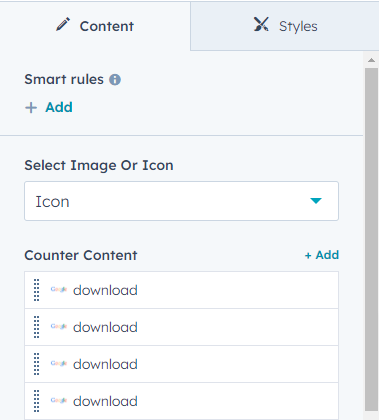
Adding and Customizing Cards :
- Click the "Add Card" button to create a new progress card.
- Fill in the card's title, description, and select an appropriate icon.
- Set the maximum value for the number counter.
- Customize the accompanying text to provide additional information.
- Save your changes.
Responsive Design
The "Progress Metrics" module is designed to be fully responsive, ensuring that your metrics look great across all devices and screen sizes.
.png?width=380&name=Edit-Page-Counter-MP-Module%20(1).png "Edit-Page-Counter-MP-Module (1)")